28 Jul ClickUp vs Monday.com — And Why Event Teams Are Choosing Something Better
If you spend any time in the project management space, you’ve heard of ClickUp and Monday.com. They’re everywhere: comparison articles, YouTube reviews, Reddit threads, LinkedIn ads. Both companies have serious marketing budgets, capable software, and armies of satisfied customers. If you work in software development, marketing, or agency project management, either of them could be a great fit. But if you’re running events — real, complex, multi-team, multi-location events — the conversation changes pretty quickly.
The problem isn’t that ClickUp and Monday.com are bad tools. They’re not. The problem is that they were built for project management, and event logistics is a fundamentally different discipline. You can use a screwdriver to hammer a nail, but you’ll have a better time with a hammer. This article is about finding the hammer.
What Clickup Does well
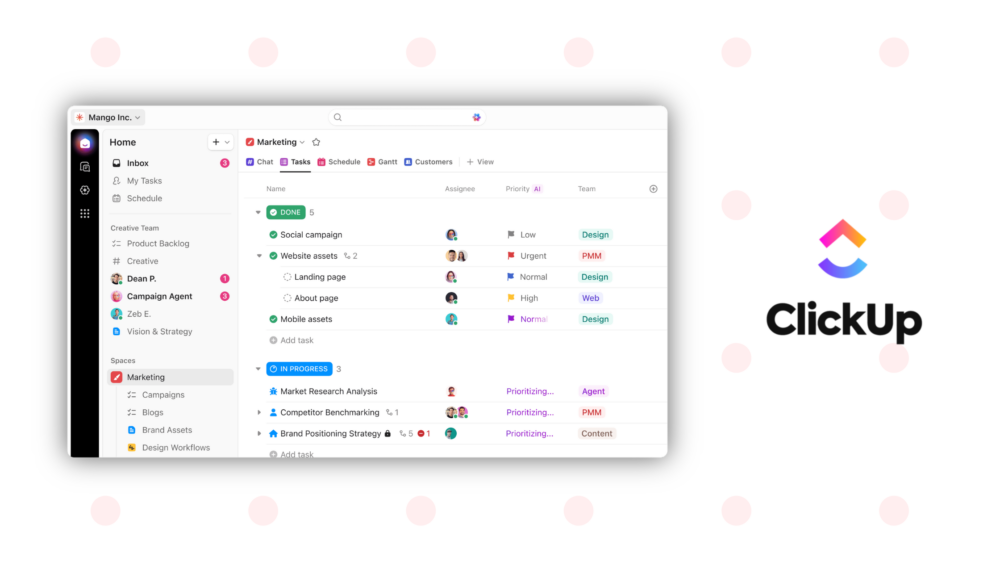
ClickUp has positioned itself as the “everything app for work,” and it largely delivers on that promise for general teams. The platform offers 15+ views, unlimited tasks, built-in docs and whiteboards, native time tracking, goals, portfolios, and a deeply customizable hierarchy of Spaces, Folders, and Lists. For software teams or agencies managing client deliverables, it’s a strong choice. The Unlimited plan starts at $7/user/month (billed annually), which undercuts most competitors at a similar feature level. ClickUp Brain, their AI layer, can summarize projects, generate standups, and route queries to Claude, GPT, or Gemini (though it costs an extra $9–$28/user/month on top of the base plan).
The platform’s real strength is flexibility. You can build almost anything inside ClickUp if you’re willing to invest the time in configuring it. Custom fields, automations, integrations, templates — it’s all there. For teams that live inside a project management tool all day, ClickUp is hard to beat for the price.
What Monday.com does well
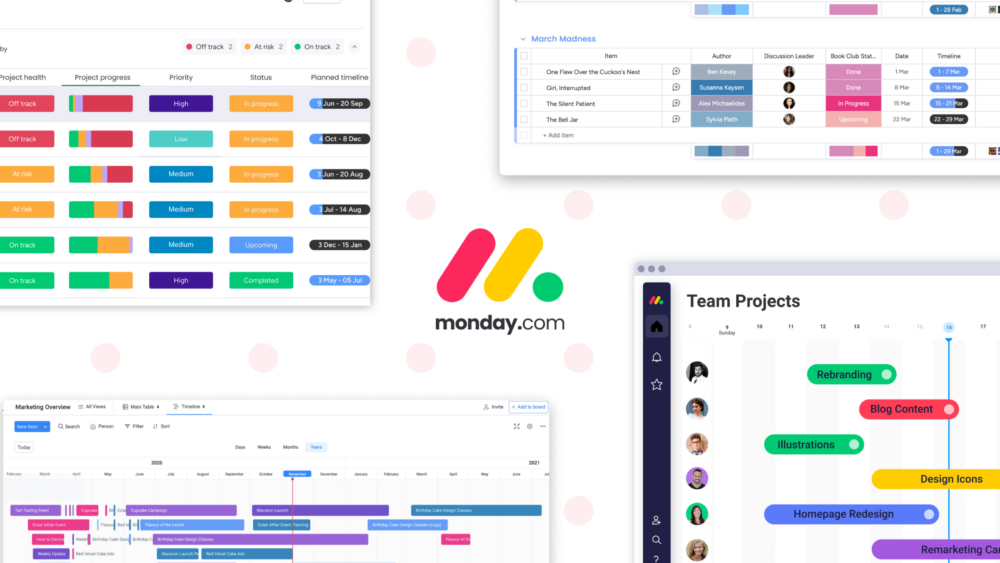
Monday.com is visually clean, fast to learn, and enjoyable to use. Color-coded boards, Gantt charts, timeline views, 200+ templates, and a polished interface that non-technical teams actually adopt without complaining. The Standard plan at $12/seat/month (annual) unlocks automations, integrations, and timeline views, which is where most growing teams land. Monday.com’s Pro plan at $19/seat/month adds time tracking, private boards, and 25,000 automations per month. The platform has built a strong reputation with sales ops, marketing, and operations teams who want visual project tracking without a steep learning curve.
Monday.com’s grid-first UX is its real moat. Teams coming from Excel feel at home immediately, and the no-code automation builder means you don’t need a developer to set up basic workflows. For cross-functional teams managing campaigns, client work, or operational processes, it’s a defensible default.
Where both fall short for events
Here’s where the comparison gets interesting. Neither ClickUp nor Monday.com has live flight tracking. Neither has hotel booking built into the platform. Neither has public itineraries that attendees can access on their phones. Neither has real-time location sharing on an interactive venue map. Neither handles timezone switching across a multi-country event. Neither has rooming lists, AI-assisted bookings, or the ability to manage five parallel teams (catering, media, guests, infrastructure, and talent all running their own schedules within the same event).
ClickUp will let you build a workaround. Monday.com will let you build a prettier workaround. But you’ll still be stitching together flight trackers, WhatsApp groups, spreadsheets, and hotel booking portals on the side. Your “event management stack” ends up being four or five tools that don’t talk to each other, and the coordination overhead becomes the job.
This isn’t a knock on either platform. It’s just that event logistics has specific, non-negotiable requirements that general project management tools simply weren’t designed to meet. When your keynote speaker’s flight is delayed and you need to know immediately, ClickUp Brain won’t tell you. When you need to see where your 50 crew members are across a three-venue festival site, Monday.com’s board view won’t help.
EventR was built for exactly this
EventR, by Softpauer, is not a generic task manager with event templates bolted on. It’s an event logistics platform built from the ground up for the kind of complexity that real events actually involve. Live flight updates pull terminal, gate, check-in desk, and status information directly from a live data source, refreshing every ten minutes for 24 hours after a flight is added. Hotel booking is built directly into the app, not a link to Booking.com, but an actual in-app booking flow. The map view shows every team member’s location in real time, with numbered activity markers so you can see what’s happening where and in what order. Team chat creates channels automatically per activity, so the right people are in the right conversation without anyone having to set it up manually.
That’s before you get to the expense tracking, which supports multiple currencies, cost centres, ISO merchant codes, and even CO2 tracking — all exportable to Excel. Or the AI Inbox, which lets you forward booking confirmation emails, PDFs, or spreadsheets to a dedicated address and have EventR build the itinerary entries for you. Or the rooming list builder, which generates a formatted PDF you can send directly to a hotel. Or the public itinerary feature, which gives attendees and guests a clean, read-only view of what’s relevant to them.
EventR’s multi-team architecture means a single event can support multiple parallel teams, each with their own manager, their own schedule, and their own visibility settings. One team sees only what’s relevant to them. The event director sees everything. This is how large-scale events actually work in the real world, and it’s a capability that ClickUp and Monday.com simply don’t have.
EventR is free to try for small teams, with no sales call required and no six-month implementation. For teams currently running events in ClickUp or Monday.com, the question isn’t whether EventR has more relevant features — it clearly does. The question is how long you’re willing to keep using the wrong tool for the job.