EventR Meeting Booker More leads. More meetings. Less hassle.

Have you ever struggled with identifying customers after the meeting? Wallet full of business cards, but no face to the name? Is the hall wifi playing up so you cannot make the show’s app work?


No more!

The Meeting Booker - What is it?

EventR Meeting Booker – The simplest way for teams to get meetings booked and gather customers at any shows they visit.

  • Book meetings on your stand.
  • Speed up lead capture.
  • Capture multiple images, transcribe audio notes, and lead ratings.
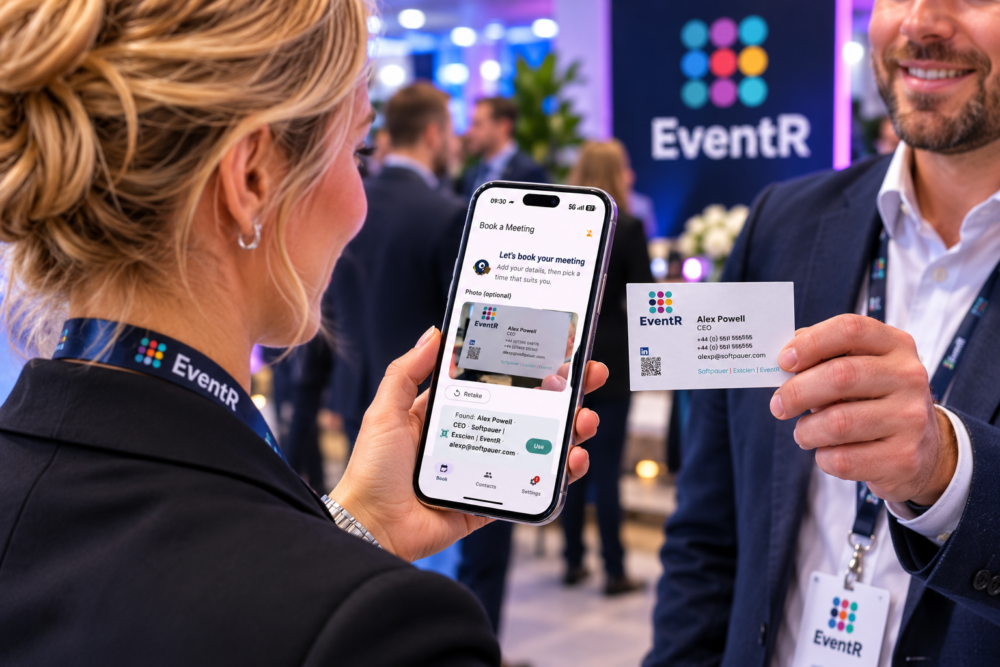
  • Reads over 70 types of QR code – LinkedIn, Blinq, WhatsApp and many more.
  • Get scanning and building your database, then export everything onto your device.
  • Fully customisable – get the information you require from contacts
  • Works without Wi-Fi – use it anywhere and sync.

… and much more!


Rapid meeting booking and information capture

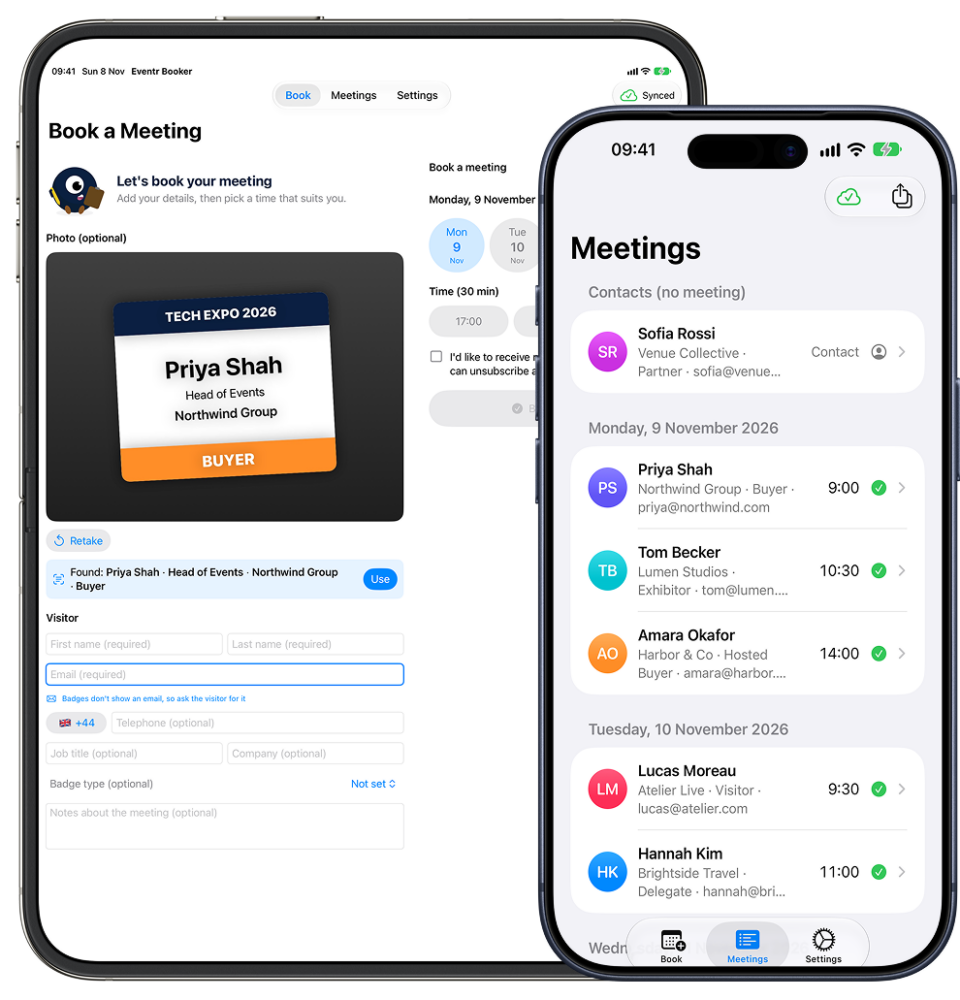
Manage your meetings and potential clients all inside one neat little app. At shows, buyers swarm our stands, looking to get a closer look into our software. However, more often than not, we’re just a team of three! We thought about a way to simplify this and for people to simply book themselves in for a demo, if they don’t get the chance to see us. All you do is download the Meeting Booker, set it up by selecting which information you would like to get for example, first and last names, company email and a phone number. From there, set your iPad on a stand with the booking screen displayed and wait for the clients to roll in. After the show you will have a rich list of people ready to be contacted!

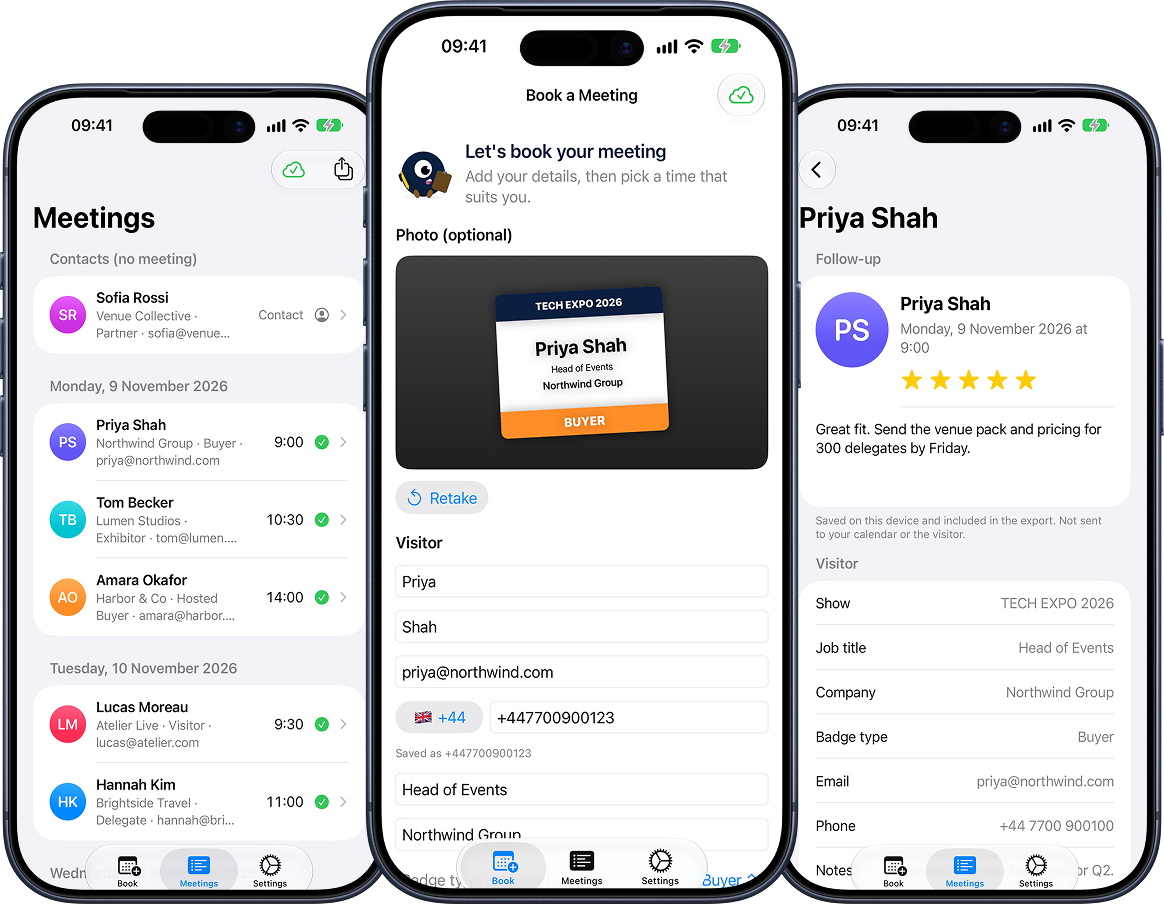
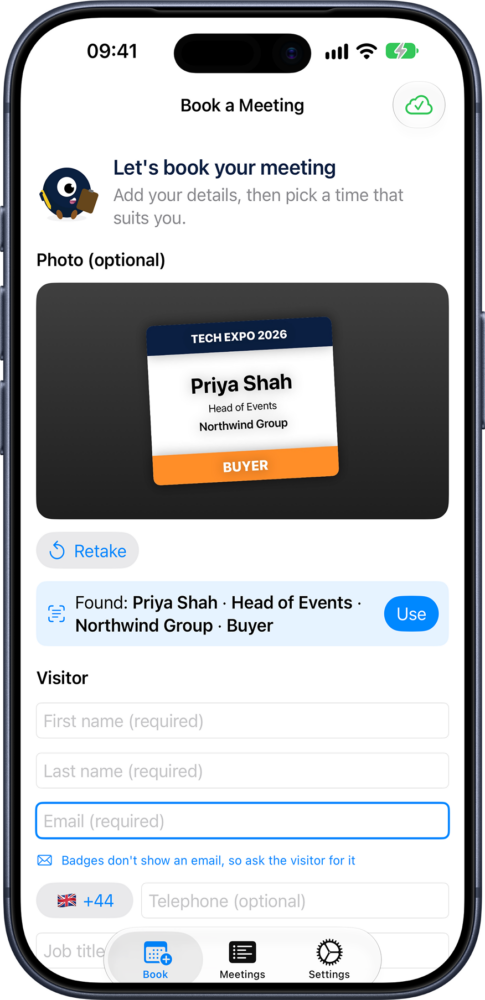
Booking Screen

Simple form to capture the information you need. Users can have photos attached to their accounts as a reminder of who you spoke to. Record audio clips and a rating of 5.

Contacts

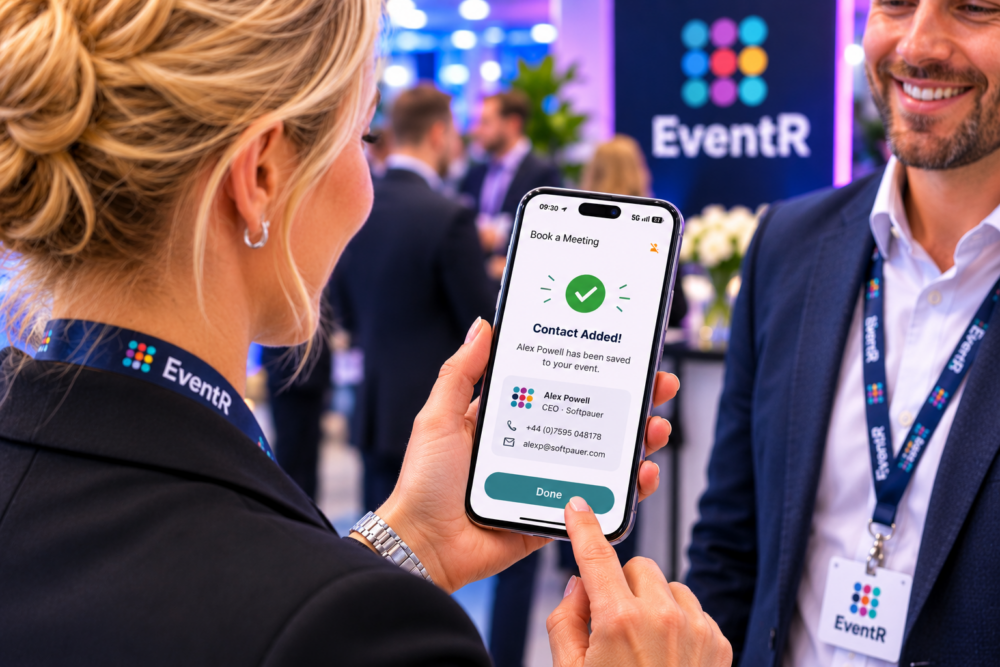
After the visitors have left, go back in and rate them and update any comments. Any QR Code links will be here, with a gallery of all the images, you took their card or badge. Business card data is automatically filled in – so try and get a photo of that!

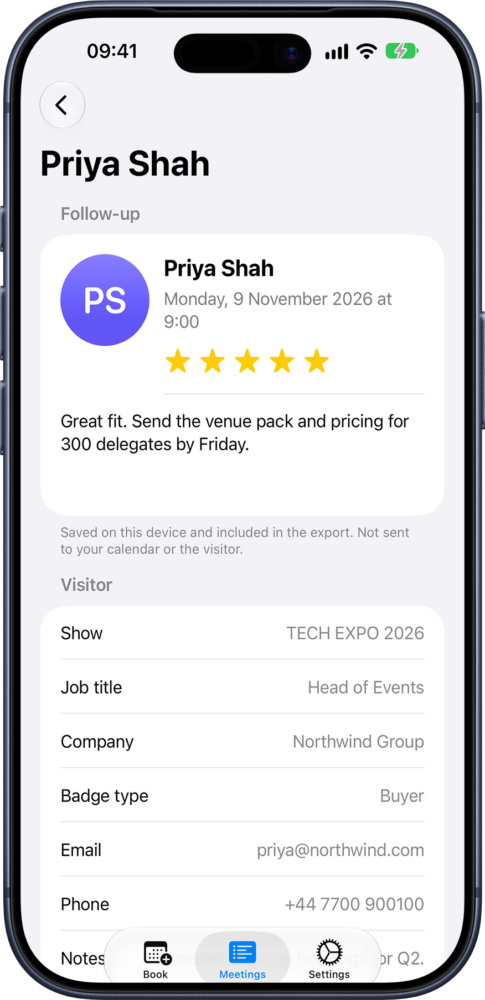
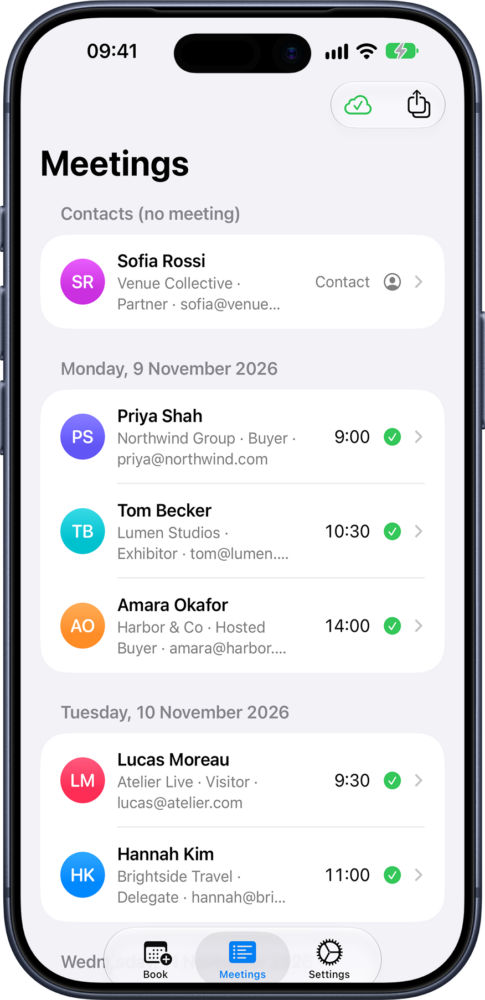
Meetings Screen

Quickly see how successful you have been! All your bookings will be shown here on the ‘Contacts’ tab.  Tap to bring up all the information about that attendee.

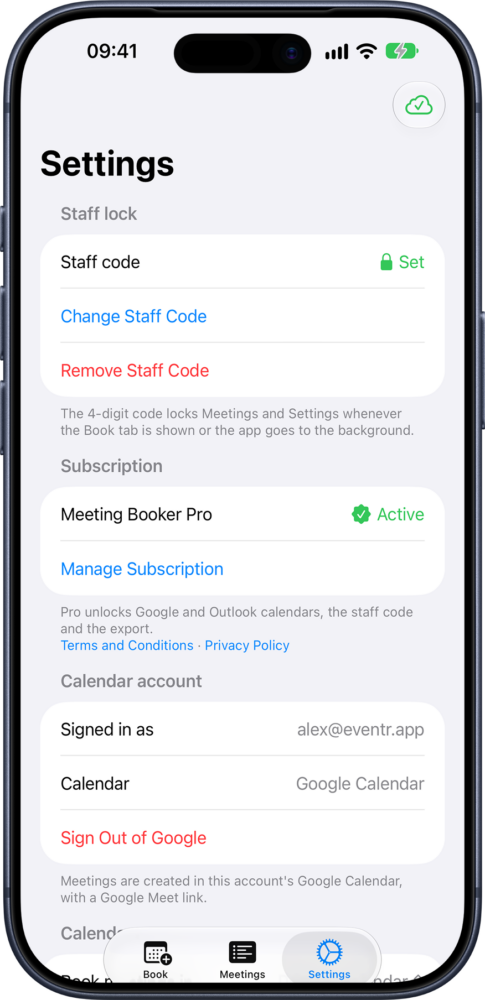
Settings

This is the power of the Meeting Booker! Settings is where you choose how you want to operate your stand. What information is most important. Decide you don’t need their phone number? Turn it off! Don’t care about their Email? Turn it off! Don’t care about their first and last name? You guessed it. Define a team, manage multiple shows. Even send all the settings via bluetooth to other phones and tablets! 

Features


Have you ever struggled with identifying customers after the meeting? Wallet full of business cards, but no face to the name? Is the hall wifi playing up so you cannot make the show’s app work?

No more!


Features:

  • Capture a High Quality Photo – good enough to scan when that pesky wifi comes back online.
  • Multiple photos stored.
  • OCR out the badge details if visible
  • Supports reading business cards
  • QR Code capture and decoding
  • Capture Name, Email Address, Title, Phone Number and Company.
  • Optionally allow them to book a meeting with you – syncs to Outlook and Google Calendar
  • All works offline
  • Customise availability calendar and invite emails.
  • Custom invite email text
  • Secure behind a pin app settings, so you can leave it public facing.
  • Works on iPad for stand use, and iPhone for personal use.
  • Record voice notes.
  • Skip words that aren’t important.
  • Export it all to Files App
 

No complex services – just a useful tool!

This is the Badge Scanner you’ve been waiting for…

Want more?

EventR Coordinator Hub

The Coordinator hub gives you even more control and flexibility over your team and itineraries with the fully integrated desktop app. With added features like costing and budget tools, team management, itinerary reports and more…